A robot in a classroom can turn an abstract lesson into something students can see, touch, and test. It can also pull attention away from the subject, collect sensitive data, or create extra work for teachers.
- Robots can give students a direct way to learn coding, sensors, movement, and control.
- A machine still needs a clear lesson, trained staff, safe space, and regular maintenance.
- Schools should check data use and access before they approve a purchase.
What robots can add to a lesson
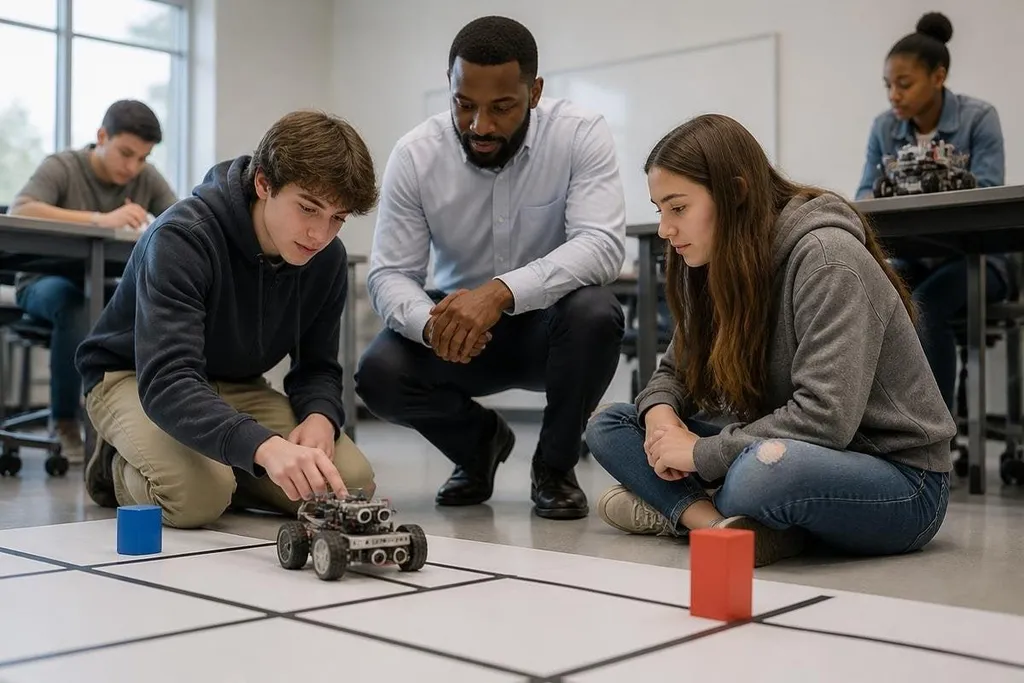
Robots give students a physical system to control. A class can change a line of code, run the robot, watch the result, and then fix the mistake. That loop makes cause and effect easier to see than code on a screen alone.
The subject can also reach beyond computer science. A mobile robot can help explain motion and measurement.
A robotic arm can support lessons about force, position, and repeatable movement. A telepresence robot, controlled over a network, can let a student join a class from another location when travel is not possible.
The value comes from the task around the robot. If students only watch a machine move, the lesson may end as a demonstration. If they must plan a route, test a sensor, record errors, and explain a result, the robot becomes part of the work.
Teachers can also use robots for group work. One student can write code, another can check the wiring, and a third can record what happened. That setup gives students different jobs, though the teacher still needs to manage the class and check that each student takes part.
Where the risks begin
Classroom robots can fail in ordinary ways. A battery may need charging, a motor may stop, or a software update may break a lesson prepared for that day. Those problems cost class time, and the teacher may be the person expected to fix them.
Safety needs a clear plan. Moving parts can pinch fingers, wheels can strike a foot, and a robot can behave in an unexpected way after a code change. The room needs a safe test area, a way to stop the machine, and rules that students can follow without guessing.
Data creates a separate concern. Cameras, microphones, location sensors, and online accounts may collect information about students or the room. Staff should know what the robot records, where that data goes, how long it stays there, and who can view it.
The price is more than the purchase order. Schools may need spare parts, charging equipment, storage, software access, staff training, and time for repairs. A low-cost kit can still become expensive if it sits unused after the first lesson.
A school staff member weighing a robot can use reports on classroom robot costs to compare the purchase price with trial details and ongoing software terms. That cost record sets up the next test: whether the robot improves a lesson without adding work for staff.
What good use looks like
A useful school robot has a narrow job in a clear lesson. Students should know what they need to find out before the machine starts. The teacher should also have a non-robot version of the activity for days when hardware or software fails.
The robot should fit the age group and the room. A small coding kit may suit a desk-based class, while a mobile platform needs open floor space and stronger supervision. A machine built for research or factory work may have controls and hazards that do not fit a normal classroom.
Access matters too. Students with limited mobility, hearing, vision, or speech may need different controls or lesson materials. The school should test those options with the students who will use them, rather than treating access as a later add-on.
I'd approve a classroom robot only when the teacher can name the lesson it improves and the plan for its failure.
A school buying checklist
Use these questions before signing a purchase order:
- Lesson fit: Which subject, age group, and learning task will use it?
- Safety: Where will students test it, and how can a teacher stop it?
- Data: Does it record video, audio, location, or student account details?
- Staff time: Who will charge, update, repair, and store the robot?
- Access: Can students use the controls and materials in different ways?
- Fallback plan: What will the class do if the robot is unavailable?
A pilot with one class can answer more than a polished sales demo. Track setup time, lesson time lost to faults, student access, and the work needed from staff. Those records give the school a basis for a wider purchase.
The next decision should be tied to that record: keep the robot, change the lesson, or stop buying more until the machine earns its place in the timetable.